Pro plan from £5 per endpoint per month · see pricing
Secronyx
AvailableLinuxWindowsmacOS

Caddy

See which hosts and ports Caddy serves, where each site proxies, and which reverse proxy upstreams Caddy has marked unhealthy, from its admin API on this host with read-only requests.

What it answers

Questions an on-call engineer asks, which an AI client can answer with this integration.

  • Which reverse proxy upstreams has Caddy marked unhealthy?
  • Why does Caddy answer 502 Bad Gateway for this site?
  • Which hosts and ports does Caddy serve, and where does each site proxy?
  • How many requests are in flight to each backend, and which ones are failing?
  • Is automatic HTTPS turned off on any server?

What it returns

Each of the integration's read-only tools, described in words.

  • Caddy HTTP servers in the running config - listen addresses, hosts matched, route count, handlers, upstreams proxied to, automatic HTTPS and timeouts; never handler settings
  • Caddy reverse proxy upstreams, one row per upstream - its dial address, whether Caddy considers it healthy, the requests in flight to it and its recent failures counted by passive health checks

At a glance

Integration
caddy 1.0.0
Publisher
levantar
Platforms
Linux, Windows, macOS

Tested on

  • Caddy 2.8.4 and 2.10.2 on Linux (Ubuntu 24.04, Docker), test lab
  • Caddy 2.8.4 on macOS (official release), test lab
  • Caddy 2.8.4 on Windows Server 2022 (official release), test lab

How it logs in

Without an explicit choice, configure tries the methods that need no secret first, in this order.

  • No login (a local endpoint)

Least privilege

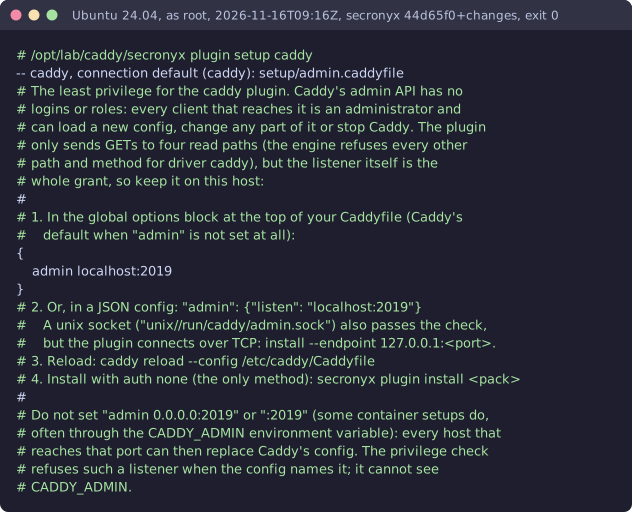
The integration's setup file. It needs no password and creates no login: the file says what it needs on the host and how to keep that to the minimum.

# The least privilege for the caddy integration. Caddy's admin API has no # logins or roles: every client that reaches it is an administrator and # can load a new config, change any part of it or stop Caddy. The integration # only sends GETs to four read paths (the engine refuses every other # path and method for driver caddy), but the listener itself is the # whole grant, so keep it on this host: # # 1. In the global options block at the top of your Caddyfile (Caddy's # default when "admin" is not set at all): { admin localhost:2019 } # 2. Or, in a JSON config: "admin": {"listen": "localhost:2019"} # A unix socket ("unix//run/caddy/admin.sock") also passes the check, # but the integration connects over TCP: configure --endpoint 127.0.0.1:<port>. # 3. Reload: caddy reload --config /etc/caddy/Caddyfile # 4. Configure with auth none (the only method): secronyx integration configure caddy # # Do not set "admin 0.0.0.0:2019" or ":2019" (some container setups do, # often through the CADDY_ADMIN environment variable): every host that # reaches that port can then replace Caddy's config. The privilege check # refuses such a listener when the config names it; it cannot see # CADDY_ADMIN.

See it run

Terminal recording from the test lab: caddy-linux-install
A real run on the shared test lab. It predates built-in integrations, so the commands on screen use their older names; this step is now secronyx integration configure caddy.

Terminal recording from the test lab: caddy-linux-setup
A real run on the shared test lab. It predates built-in integrations, so the commands on screen use their older names.
Terminal recording from the test lab: caddy-linux-test
A real run on the shared test lab. It predates built-in integrations, so the commands on screen use their older names.
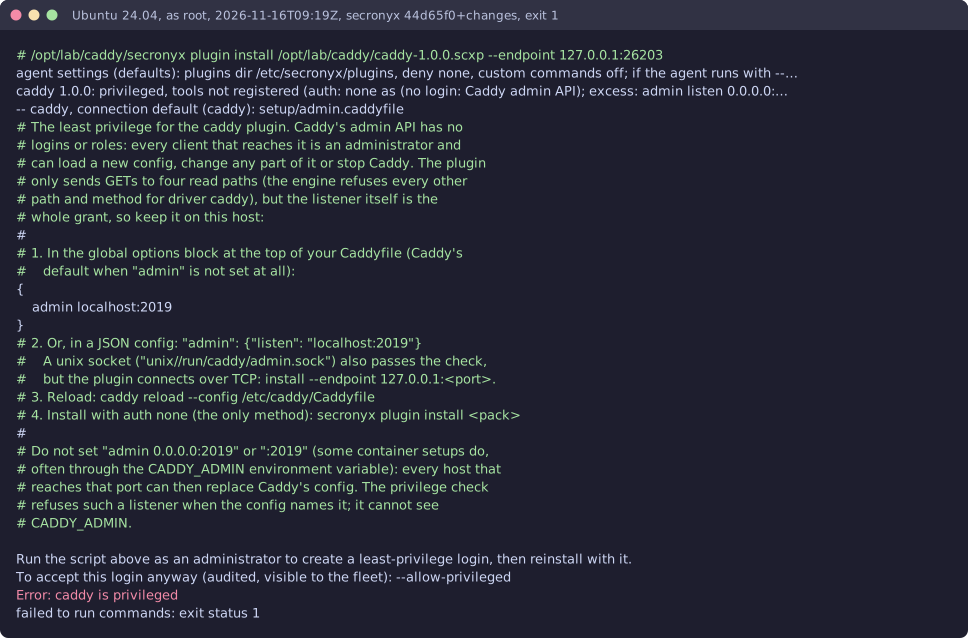
Terminal recording from the test lab: caddy-linux-privileged
A real run on the shared test lab. It predates built-in integrations, so the commands on screen use their older names.
Terminal recording from the test lab: caddy-macos-install
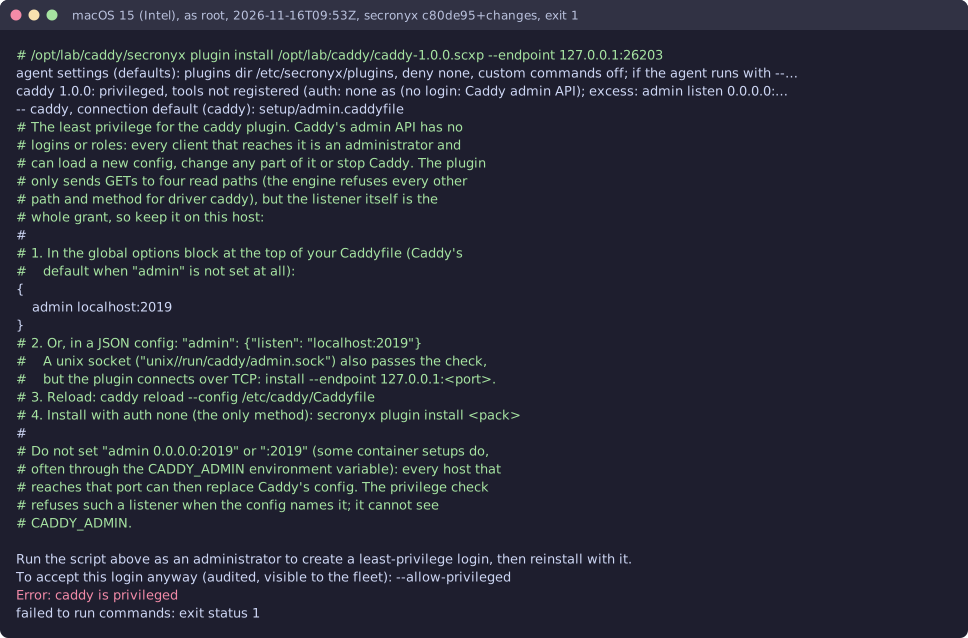
A real run on the shared test lab. It predates built-in integrations, so the commands on screen use their older names; this step is now secronyx integration configure caddy.
Terminal recording from the test lab: caddy-macos-privileged
A real run on the shared test lab. It predates built-in integrations, so the commands on screen use their older names.

Read-only, in layers

Every request is a GET or HEAD to the endpoint the operator configured, on a path fixed in the signed pack. Redirects are not followed, and requests known to change state are refused.

These controls narrow what the integration can do; none of them is a guarantee on its own. An administrator can still accept a more powerful login on purpose (audited and shown in status), root or Administrator on the host can replace the agent, and the integration can read whatever its login can see.