Pro plan from £5 per endpoint per month · see pricing
Secronyx
AvailableLinuxmacOS

PgBouncer

See which PgBouncer pools are full, how many clients are queueing for a connection and for how long, with a read-only stats login.

What it answers

Questions an on-call engineer asks, which an AI client can answer with this integration.

  • Are clients waiting for a database connection, and how long has the oldest waited?
  • Is a pool out of server connections?
  • Which applications and hosts are holding the connections?
  • Which PostgreSQL backend is serving which application?
  • Is the database slow, or are clients waiting in the pooler?
  • How many queries and transactions per second go through the pooler?

What it returns

Each of the integration's read-only tools, described in words.

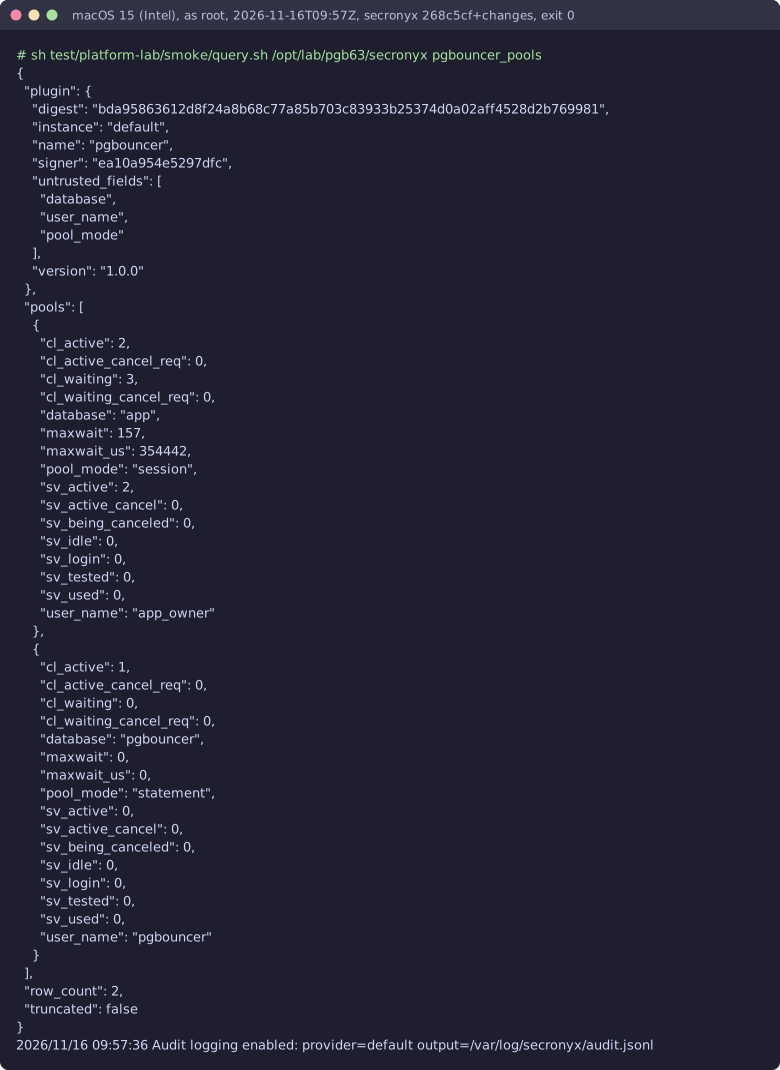
  • PgBouncer pools, one per database and user, with active and waiting clients, server connections by state, the longest client wait and the pool mode
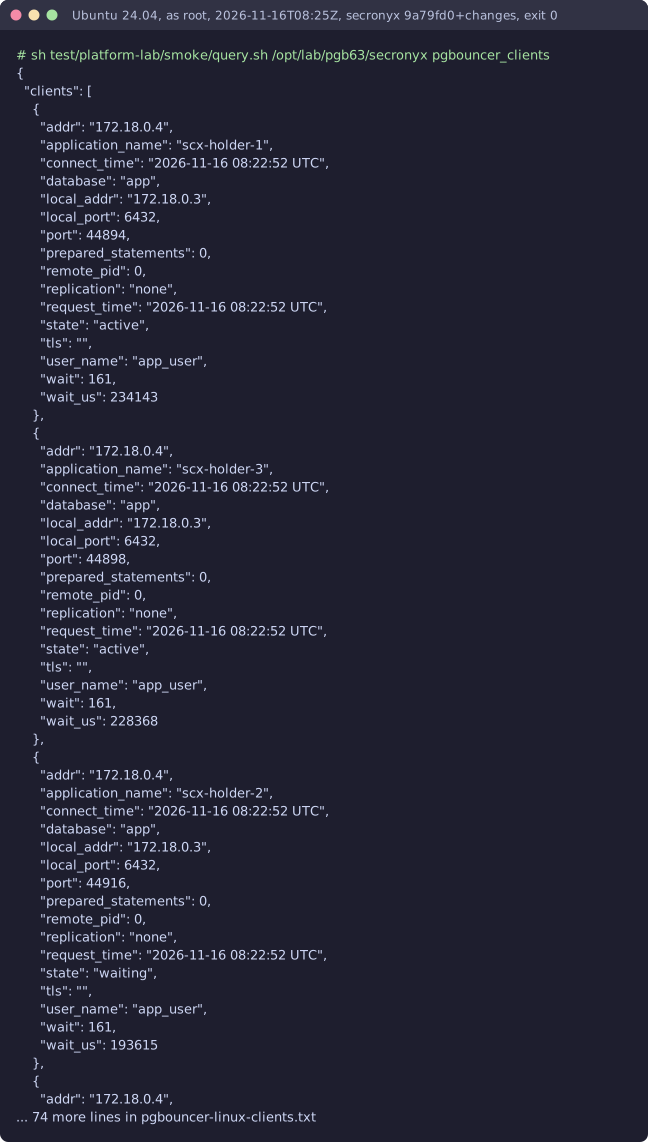
  • Client connections to PgBouncer with their user, database, state (active, idle or waiting), address, connect and last request times, how long they have waited, TLS and application name
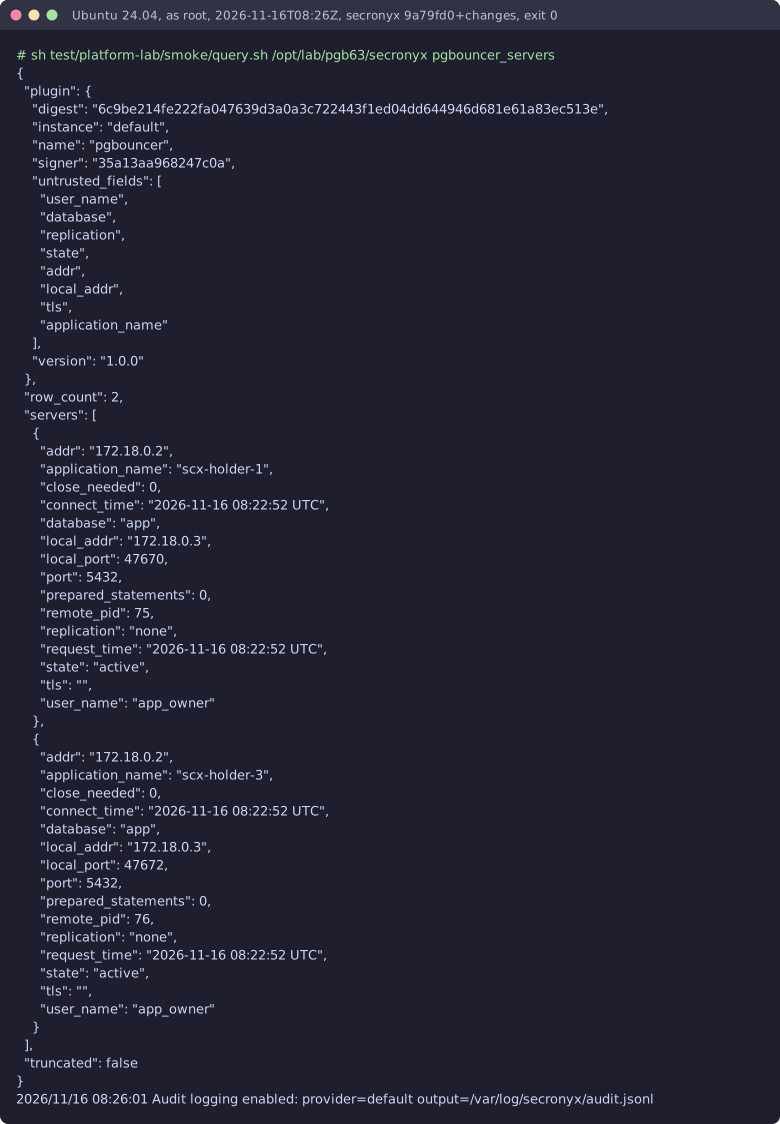
  • PgBouncer's connections to the PostgreSQL servers behind it - user, database, state (active, idle, used, tested), address, connect and request times, backend pid and the client application
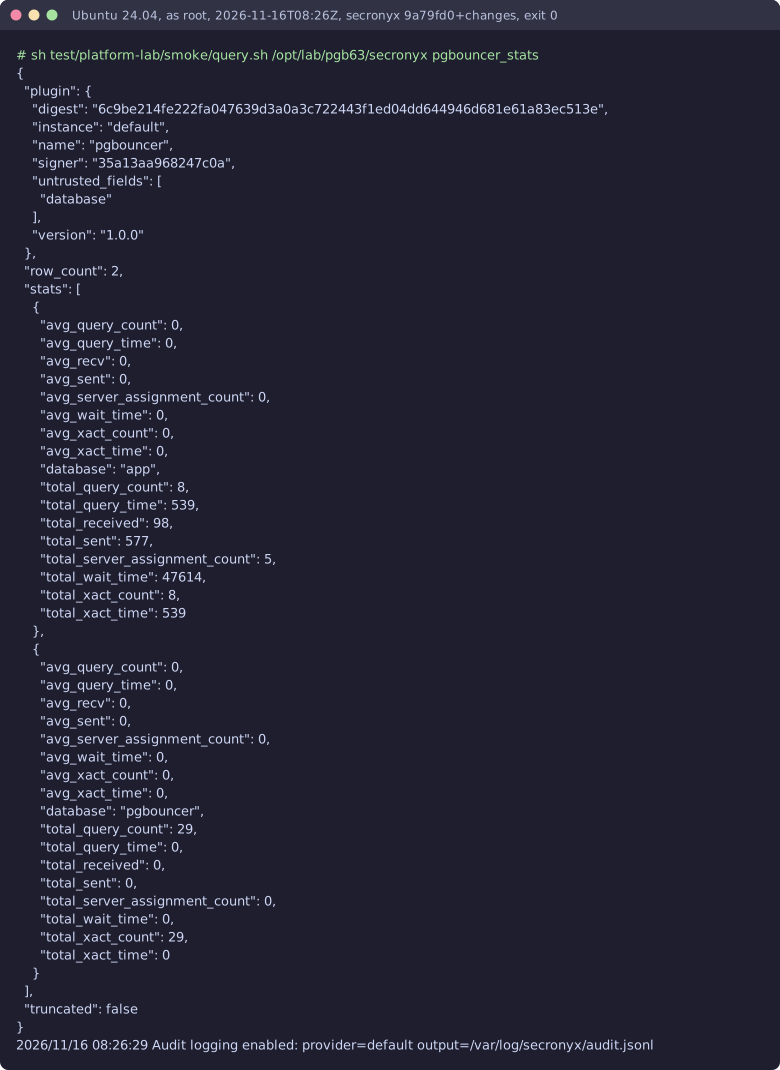
  • PgBouncer traffic per database - transactions, queries, server assignments, bytes, and time in transactions, queries and waiting for a server, as totals and averages per stats period

At a glance

Integration
pgbouncer 1.0.0
Publisher
levantar
Platforms
Linux, macOS

Tested on

  • PgBouncer 1.23.1 on Linux (Ubuntu 24.04, Docker), test lab
  • PgBouncer 1.26.1 on macOS 15 (Intel, built from source), test lab
  • PgBouncer 1.23.1 on Linux (Ubuntu, Docker), CI runner
  • PgBouncer from Homebrew on macOS, CI runner

How it logs in

Without an explicit choice, configure tries the methods that need no secret first, in this order.

  • A user name and password
  • The agent's OS account on the same host, with no secret

The least-privilege login

The setup file that comes with it. secronyx integration setup pgbouncer prints it; an administrator applies it by hand.

; Least-privilege login for the pgbouncer integration: a console user listed in ; stats_users, which may run SHOW commands only (no SHOW FDS, no PAUSE, ; KILL, RELOAD, SET or SHUTDOWN), and never in admin_users. PgBouncer keeps ; logins in its config and auth_file, not in a table, so make these ; changes by hand and reload PgBouncer (secronyx integration setup pgbouncer ; --apply cannot do it for you). ; ; 1. In pgbouncer.ini, [pgbouncer] section: add the login to stats_users, ; keeping the names already there (the list is comma-separated). [pgbouncer] stats_users = {{user}} ; ; 2. password login: a line for it in the auth_file (auth_file =), with a ; SCRAM secret or md5 hash, not plain text. From PostgreSQL: ; SELECT '"' || rolname || '" "' || rolpassword || '"' FROM pg_authid WHERE rolname = '{{user}}'; ; or, with auth_query, the role in PostgreSQL is enough. The line: ; "{{user}}" "SCRAM-SHA-256$4096:..." ; ; 3. os-peer (Linux, macOS): no password. The agent connects over the unix ; socket as its OS account, secronyx-plugin. Add that name to ; stats_users instead and, with auth_type = hba, these lines first in ; the auth_hba_file: ; local pgbouncer secronyx-plugin peer ; local all secronyx-plugin reject ; host all secronyx-plugin 0.0.0.0/0 reject ; PgBouncer only lets in users its auth_file knows, so add a line for ; it there too, with a long random secret that nothing uses (peer ; checks the OS account, and the reject lines refuse any password): ; "secronyx-plugin" "<long random string>" ; ; 4. Reload: kill -HUP the pgbouncer process (or systemctl reload ; pgbouncer), then: secronyx integration configure pgbouncer

See it run

Terminal recording from the test lab: pgbouncer-linux-install
A real run on the shared test lab. It predates built-in integrations, so the commands on screen use their older names; this step is now secronyx integration configure pgbouncer.
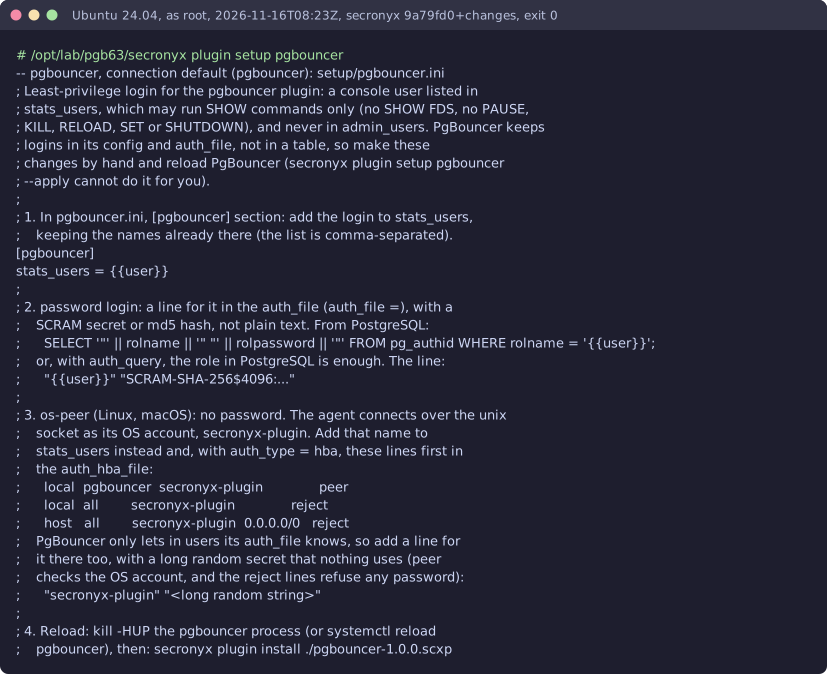

Terminal recording from the test lab: pgbouncer-linux-setup
A real run on the shared test lab. It predates built-in integrations, so the commands on screen use their older names.
Terminal recording from the test lab: pgbouncer-linux-test
A real run on the shared test lab. It predates built-in integrations, so the commands on screen use their older names.
Terminal recording from the test lab: pgbouncer-linux-pools
A real run on the shared test lab. It predates built-in integrations, so the commands on screen use their older names.
Terminal recording from the test lab: pgbouncer-linux-clients
A real run on the shared test lab. It predates built-in integrations, so the commands on screen use their older names.
Terminal recording from the test lab: pgbouncer-linux-servers
A real run on the shared test lab. It predates built-in integrations, so the commands on screen use their older names.
Terminal recording from the test lab: pgbouncer-linux-stats
A real run on the shared test lab. It predates built-in integrations, so the commands on screen use their older names.
Terminal recording from the test lab: pgbouncer-macos-install
A real run on the shared test lab. It predates built-in integrations, so the commands on screen use their older names; this step is now secronyx integration configure pgbouncer.
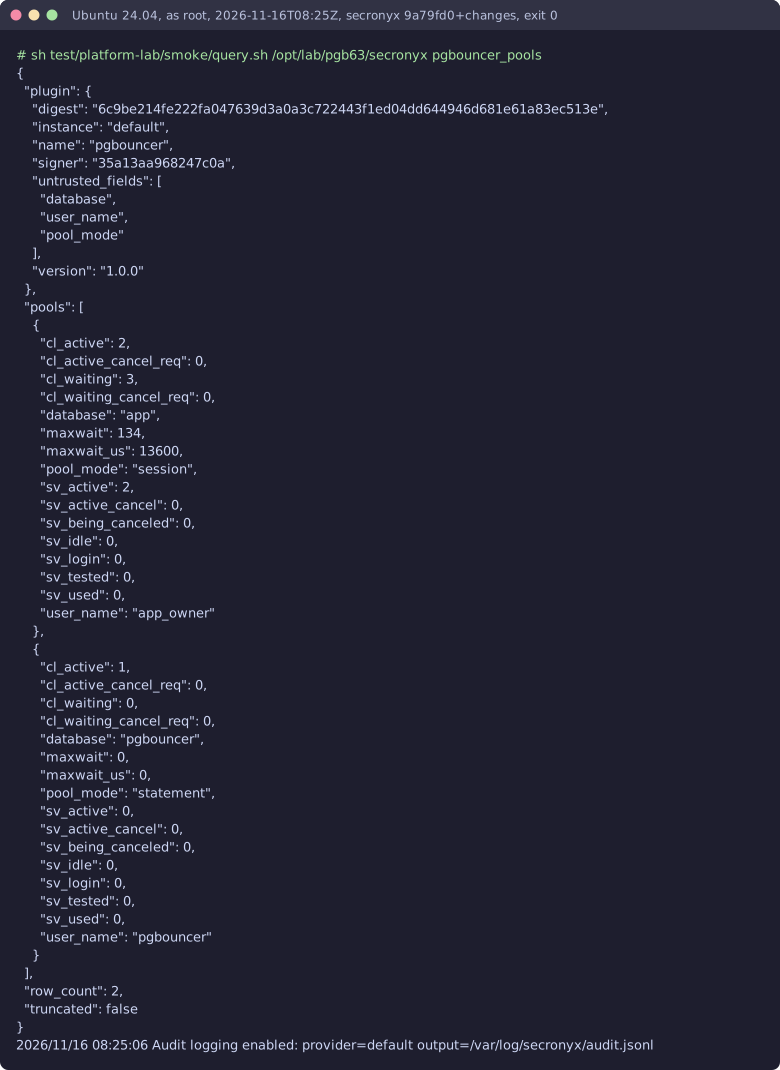
Terminal recording from the test lab: pgbouncer-macos-test
A real run on the shared test lab. It predates built-in integrations, so the commands on screen use their older names.
Terminal recording from the test lab: pgbouncer-macos-pools
A real run on the shared test lab. It predates built-in integrations, so the commands on screen use their older names.

Read-only, in layers

Every query is fixed text inside the signed pack: one SELECT or WITH statement whose functions are all on the agent's allowlist for that database. It runs in a read-only transaction with server-side statement and lock timeouts, and is always rolled back. Callers can only fill in typed, bounded arguments, which are bound as parameters.

These controls narrow what the integration can do; none of them is a guarantee on its own. An administrator can still accept a more powerful login on purpose (audited and shown in status), root or Administrator on the host can replace the agent, and the integration can read whatever its login can see.