Varnish Cache
See the Varnish hit ratio, whether the cache is full and evicting, which backend fails its health probes and whether the cache process restarted, read from its shared memory counters without the admin secret. This plugin is in the next Secronyx release; the current download does not include it yet.
What it answers
Questions an on-call engineer asks, which an AI client can answer with this plugin.
- What is the hit ratio, and has it fallen?
- Which backend fails its health probes, and how often do fetches to it fail?
- Why does Varnish answer 503 Backend fetch failed?
- Is the cache storage full, so that objects are evicted early?
- Did the cache process restart or panic and lose its objects?
What it returns
Each of the plugin's read-only tools, described in words.
- Varnish Cache counters in one row - hit ratio, client requests, sessions queued and dropped, worker threads, backend failures, objects and LRU evictions, storage used and free, uptime and panics
- Varnish backends, one row each - whether the last health probe succeeded and how many of the last 64 did, open connections, requests, and fetches that failed, were refused or timed out
At a glance
- Plugin
- varnish 1.0.0
- Publisher
- levantar
- Platforms
- Linux
Tested on
- Varnish Cache 7.5.0 on Linux (Ubuntu 24.04, Docker), test lab
How it logs in
Without an explicit choice, install tries the methods that need no secret first, in this order.
- The agent's OS account on the same host, with no secret
Least privilege
The setup file in the pack. This plugin needs no password and creates no login: the file says what it needs on the host and how to keep that to the minimum.
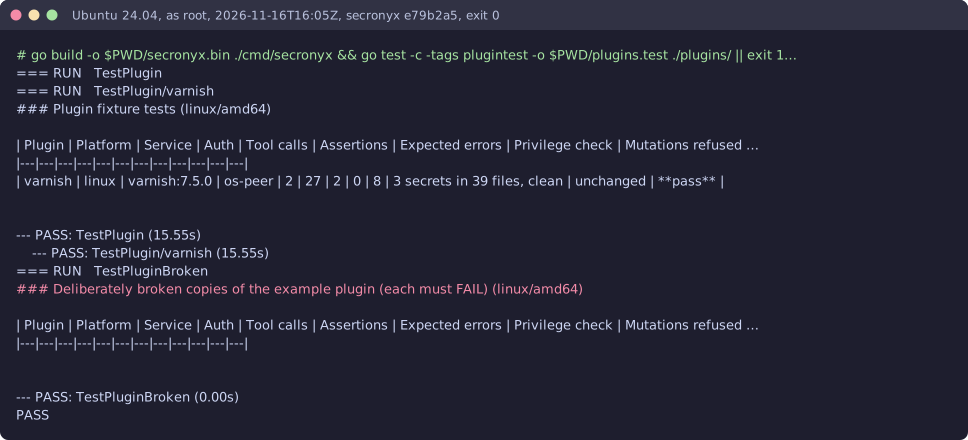
See it run
Read-only, in layers
Every command is a binary on the agent's allowlist with one of its exact argument forms. There is no shell, the environment is clean, and it never runs as root or with SYSTEM's privileges.
These controls narrow what the plugin can do; none of them is a guarantee on its own. An administrator can still accept a more powerful login on purpose (audited and shown in status), root or Administrator on the host can replace the agent, and the plugin can read whatever its login can see.