ActiveMQ Artemis
See which queues are deep and whether anything consumes them, how close the broker is to its memory and disk limits, which addresses are paging and whether the cluster connection is up, with a login that can only read. This plugin is in the next Secronyx release; the current download does not include it yet.
What it answers
Questions an on-call engineer asks, which an AI client can answer with this plugin.
- Which queues have the most messages waiting, and do they have any consumers?
- Is the broker close to its memory or disk limit, so that producers block?
- Is this broker the active one or a backup?
- Which addresses are paging, or receive messages that no queue is bound to take?
- Is the cluster connection started, and are messages to the other brokers backing up?
- Can the monitoring login only read, with no way to destroy a queue or read a message?
What it returns
Each of the plugin's read-only tools, described in words.
- ActiveMQ Artemis queues, one row each - messages waiting, consumers, delivering, scheduled, added, acknowledged, expired and killed counts, oldest message age, dead letter address
- ActiveMQ Artemis broker totals - version, uptime, active or backup, memory and disk usage against their limits, connections, consumers, messages waiting and failed logins
- ActiveMQ Artemis addresses, one row each - routing types, messages waiting in its queues, messages routed and not routed to any queue, memory used against its limit, and whether it is paging or paused
- ActiveMQ Artemis cluster connections, one row each - whether it is started, node ID, load balancing mode, static connectors or discovery group, messages pending acknowledgement
At a glance
- Plugin
- artemis 1.0.0
- Publisher
- levantar
- Platforms
- Linux
Tested on
- ActiveMQ Artemis 2.37.0 on Linux (Ubuntu 24.04, Docker), test lab
How it logs in
Without an explicit choice, install tries the methods that need no secret first, in this order.
- A user name and password
The least-privilege login
The setup file in the pack. secronyx plugin setup artemis prints it; an administrator applies it by hand.
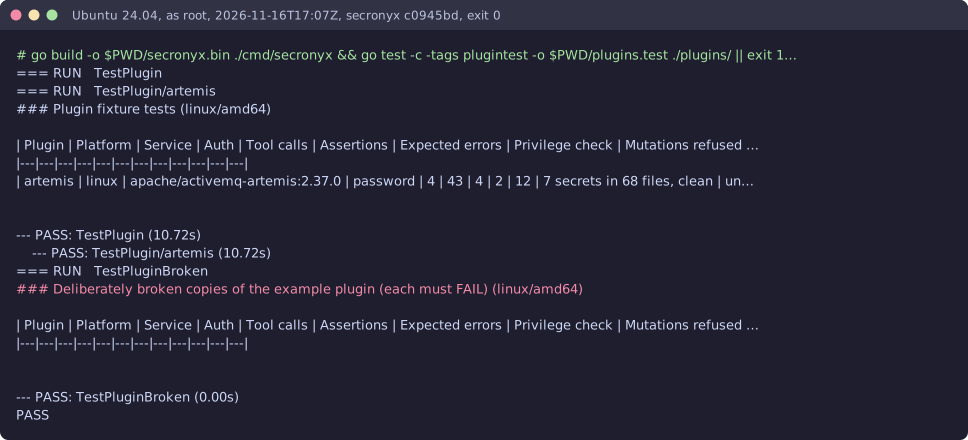
See it run
Read-only, in layers
Every request is a GET or HEAD to the endpoint the operator configured, on a path fixed in the signed pack. Redirects are not followed, and requests known to change state are refused.
These controls narrow what the plugin can do; none of them is a guarantee on its own. An administrator can still accept a more powerful login on purpose (audited and shown in status), root or Administrator on the host can replace the agent, and the plugin can read whatever its login can see.