Apache Cassandra
See which Cassandra nodes are down or joining, which thread pool is backed up, whether compaction keeps up and which table has too many SSTables or tombstones, from five fixed read commands on the node. This plugin is in the next Secronyx release; the current download does not include it yet.
What it answers
Questions an on-call engineer asks, which an AI client can answer with this plugin.
- Which nodes does this node consider down, leaving or joining?
- Which thread pool has pending or blocked tasks?
- Is compaction keeping up, or is the backlog growing?
- Which table has the most SSTables, the largest partitions or the most tombstones per read?
- Do all nodes agree on the schema version, and which release does each run?
What it returns
Each of the plugin's read-only tools, described in words.
- The Cassandra ring as this node sees it, one row per node - up or down, normal, leaving, joining or moving, datacenter and rack, load on disk, token count and ownership
- Cassandra thread pools on this node, one row each - active, pending and completed tasks, and tasks blocked now and since the node started
- Cassandra compaction on this node in one row - pending tasks, compactions running now with their bytes done and to do, and where printed the compactions completed and aborted
- Cassandra tables on this node, one row each - SSTables, disk space, partitions and the largest partition, local read and write counts and latencies, tombstones per read, dropped mutations
- Cassandra gossip state, one row per endpoint - status such as NORMAL or shutdown, generation, heartbeat, schema and release version, datacenter, rack and whether it accepts clients
At a glance
- Plugin
- cassandra 1.0.0
- Publisher
- levantar
- Platforms
- Linux
Tested on
- Apache Cassandra 5.0.9 on Linux (Ubuntu 24.04, Docker), test lab
How it logs in
Without an explicit choice, install tries the methods that need no secret first, in this order.
- The agent's OS account on the same host, with no secret
Least privilege
The setup file in the pack. This plugin needs no password and creates no login: the file says what it needs on the host and how to keep that to the minimum.
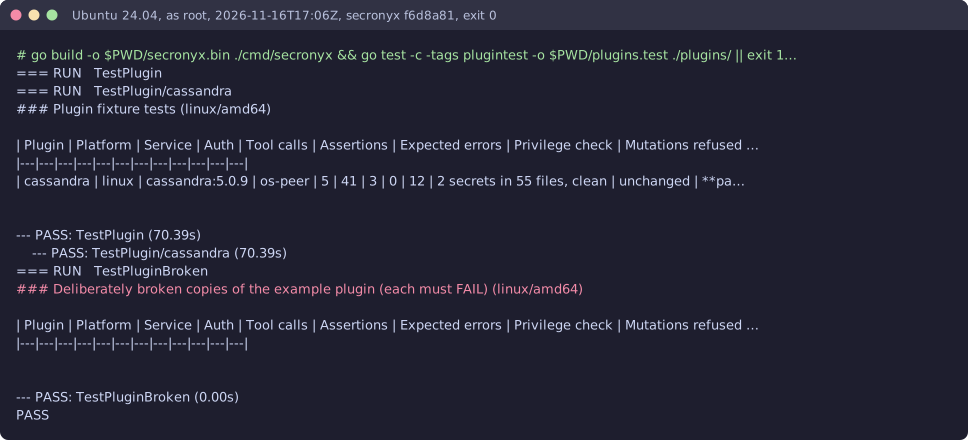
See it run
Read-only, in layers
Every command is a binary on the agent's allowlist with one of its exact argument forms. There is no shell, the environment is clean, and it never runs as root or with SYSTEM's privileges.
These controls narrow what the plugin can do; none of them is a guarantee on its own. An administrator can still accept a more powerful login on purpose (audited and shown in status), root or Administrator on the host can replace the agent, and the plugin can read whatever its login can see.