ClickHouse
See what is running, merging and stuck inside ClickHouse, which tables have too many parts and how full the disks are, with a login the server keeps read-only. This plugin is in the next Secronyx release; the current download does not include it yet.
What it answers
Questions an on-call engineer asks, which an AI client can answer with this plugin.
- What is running on ClickHouse right now, and which query has run the longest?
- Which tables have too many parts, and are merges keeping up?
- What is stuck in the replication queue, and what reason does the server give?
- How much space is left on each of the server's disks?
- Which mutation never finished, and why did its last attempt fail?
What it returns
Each of the plugin's read-only tools, described in words.
- Queries running on the ClickHouse server right now with their user, client, elapsed time, rows and bytes read, memory and normalised text
- Merges and part mutations in progress on the ClickHouse server with their table, elapsed time, progress, number of source parts, size and memory
- Active data parts per ClickHouse table - the part count, partitions, the most parts in one partition, rows and bytes on disk
- Tasks waiting in the replication queues of this ClickHouse server's replicated tables with their type, age, tries, the part and why they are postponed or failing
- Disks the ClickHouse server stores data on with their path, type, total, free and unreserved space
- ALTER UPDATE and DELETE mutations on ClickHouse tables that have not finished, with their age, parts still to do and the last failure
At a glance
- Plugin
- clickhouse 1.0.0
- Publisher
- levantar
- Platforms
- Linux
Tested on
- ClickHouse 24.3.18 and 24.8.14 on Linux (Ubuntu 24.04, Docker), test lab
How it logs in
Without an explicit choice, install tries the methods that need no secret first, in this order.
- A user name and password
The least-privilege login
The grant script in the pack. secronyx plugin setup clickhouse --apply runs it with a random password for the new login, or you can run it by hand.
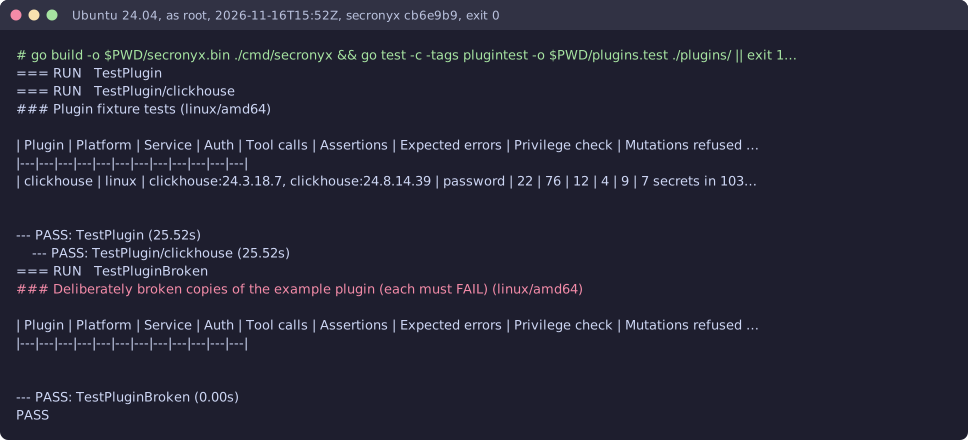
See it run
Read-only, in layers
Every query is fixed text inside the signed pack: one SELECT or WITH statement whose functions are all on the agent's allowlist for that database. It runs in a read-only transaction with server-side statement and lock timeouts, and is always rolled back. Callers can only fill in typed, bounded arguments, which are bound as parameters.
These controls narrow what the plugin can do; none of them is a guarantee on its own. An administrator can still accept a more powerful login on purpose (audited and shown in status), root or Administrator on the host can replace the agent, and the plugin can read whatever its login can see.