Envoy
See which Envoy upstream clusters have no healthy hosts and why, where its listeners accept connections, which certificates expire soon and what its counters say, from its admin interface on this host with read-only requests. This plugin is in the next Secronyx release; the current download does not include it yet.
What it answers
Questions an on-call engineer asks, which an AI client can answer with this plugin.
- Which upstream clusters have no healthy hosts, and which hosts fail their health checks?
- Why does Envoy answer 503 with no healthy upstream?
- Which TLS certificates has Envoy loaded, and how many days does each have left?
- Which addresses and ports does Envoy listen on?
- Is Envoy live or draining, which version runs, and when did it last restart?
What it returns
Each of the plugin's read-only tools, described in words.
- Envoy server state in one row - version, state (LIVE, DRAINING, PRE_INITIALIZING or INITIALIZING), uptime, node id and cluster, worker threads, log level, config path, restart epoch and drain settings
- Envoy upstream clusters, one row each - hosts and how many are healthy, the unhealthy hosts and why, requests and connections in flight, connect failures, request errors and timeouts
- Envoy listeners, one row per listener - its name and the address and port (or unix socket path) it accepts connections on
- Envoy counters and gauges that have been written at least once and whose name matches a filter, one row per stat with its name and value; histograms and text values are left out
- TLS certificates Envoy has loaded, soonest to expire first - served chain or trusted CA, file path, subject alternative names, days until expiry and validity dates; never keys
At a glance
- Plugin
- envoy 1.0.0
- Publisher
- levantar
- Platforms
- Linux
Tested on
- Envoy 1.30.11 and 1.31.10 on Linux (Ubuntu 24.04, Docker), test lab
How it logs in
Without an explicit choice, install tries the methods that need no secret first, in this order.
- No login (a local endpoint)
Least privilege
The setup file in the pack. This plugin needs no password and creates no login: the file says what it needs on the host and how to keep that to the minimum.
See it run
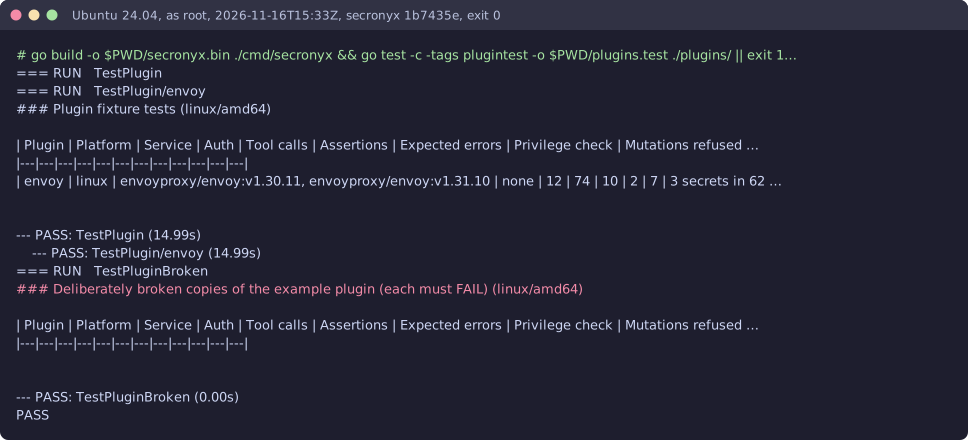
Read-only, in layers
Every request is a GET or HEAD to the endpoint the operator configured, on a path fixed in the signed pack. Redirects are not followed, and requests known to change state are refused.
These controls narrow what the plugin can do; none of them is a guarantee on its own. An administrator can still accept a more powerful login on purpose (audited and shown in status), root or Administrator on the host can replace the agent, and the plugin can read whatever its login can see.