Grafana alert to AI investigation
A Grafana CPU alert triggers read-only, signed checks inside the host, and Claude explains which process was busy, with every call on record.
The scenario
Three hosts ran Secronyx in containers on one laptop: web-1 and web-2, labelled env=demo, and db-1, a production host labelled env=prod. We started a busy process on web-1 on purpose, under a time limit, so that one CPU core was burning. A second load later fired the same alert for db-1, which the policy does not grant.
The alert
Grafana's HighCPU alert fired for web-1 only. Grafana sends the alert by webhook to the Secronyx Grafana bridge, which is part of the commander, using a key that can deliver alerts and do nothing else.
At a glance
Grafana's HighCPU alert fires for web-1
The Grafana bridge runs a fixed performance-triage playbook on web-1
web-1 signs all 21 results; the bridge saves them as an evidence case
The bridge writes a note onto the Grafana CPU panel
Claude reads that evidence and runs two more read-only checks
Claude posts its verdict on the same panel
What Secronyx gathered, and how it was restricted
What it gathered from the host
- The 21 read-only checks of the performance-triage playbook, run on the host the alert names
- The process tree, showing which process was busy and how it was started
- The host's network connections
- Each result signed by the host that produced it
How it was restricted
- Read-only checks: no shell, and no check changes the host
- One label rule: the bridge and the AI's group may see env=demo hosts and nothing else, so the production host was off-limits
- Claude's built-in tools, including the shell, were switched off; it reached the hosts only through the commander
- Checks that need a security permission were refused to Claude, and it reported them as not checked, not as clean
- A hash-chained audit log records each alert, each bridge decision, each request to the hosts, the evidence saved and every call the AI made under its own key
What the AI concluded
Claude judged this to be expected work: one process, yes, was using 97.5% of a CPU core, started by timeout 420 yes, so it would stop by itself after seven minutes. It was started from outside the container, and web-1 showed no unusual network activity. Claude also said what it could not check: whether the yes program was genuine, and who started it.
The proof
Figures from the recorded run, as reported in the walkthrough.
21 of 21
playbook results signed by web-1, eleven seconds after the alert
68 s
for Claude's follow-up, in nine turns
0 hosts
investigated for the production host's alert, because the policy does not grant it
44 findings
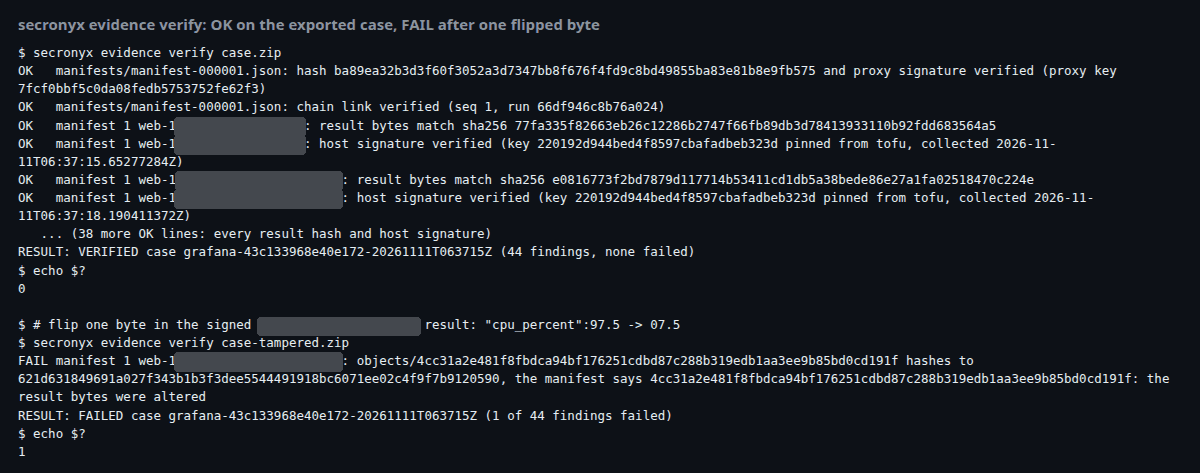
in the full evidence case, verified offline; change one byte and it fails
See every step
The walkthrough has the setup, the full story with screenshots, the evidence and how to run it yourself. Read the full run log
Product names belong to their owners and are used only to say what each demo connects to. Secronyx is not affiliated with, sponsored or endorsed by them.