Kubernetes node (kubelet)
Ask a node's own kubelet which pods it runs, which containers are crash-looping or cannot pull their image, and what each pod and the node use, with a token that can read the pod list and stats and cannot exec. This plugin is in the next Secronyx release; the current download does not include it yet.
What it answers
Questions an on-call engineer asks, which an AI client can answer with this plugin.
- Which pods on this node are not running, and why are their containers waiting?
- Which container keeps restarting, and with which exit code did it last stop?
- Which pods use the most memory, CPU and ephemeral storage on this node?
- How much memory, disk, inodes and process IDs does this node have left?
What it returns
Each of the plugin's read-only tools, described in words.
- The pods the kubelet runs on this node with namespace, phase (Pending, Running, Succeeded, Failed), reason, owner, container and ready counts, total restarts and why containers are waiting
- Every container of the pods on this node with image, ready, restart count, state (running, waiting, terminated) and its reason, the exit code, and the reason and exit code of the last termination
- Resource use of each pod on this node from the kubelet's stats summary - CPU in nanocores, memory working set and usage, network bytes received and sent, ephemeral storage used and process count
- This node's resource use from the kubelet - pod count, CPU, memory working set and available, free space and inodes of the node and image filesystems, network bytes, and processes against the limit
At a glance
- Plugin
- kubelet 1.0.0
- Publisher
- levantar
- Platforms
- Linux
Tested on
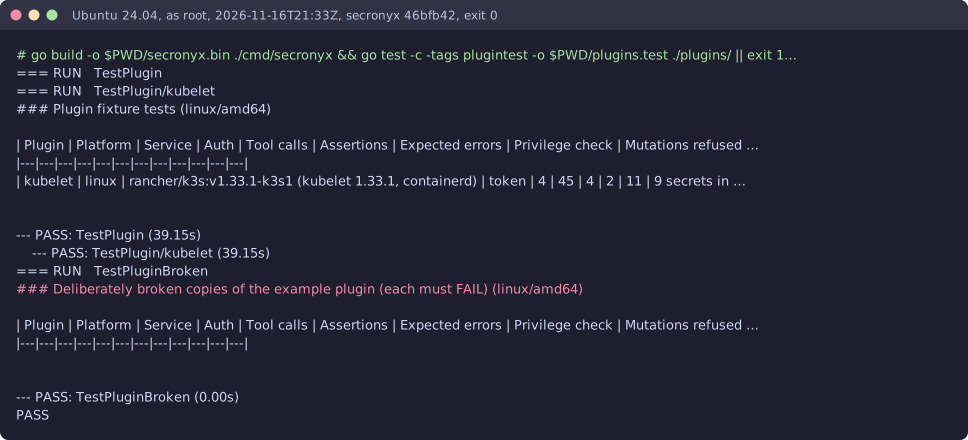
- k3s v1.33.1 (kubelet 1.33.1, containerd) on Linux (Ubuntu 24.04, Docker), test lab
How it logs in
Without an explicit choice, install tries the methods that need no secret first, in this order.
- A bearer token
- A client certificate
The least-privilege login
The setup file in the pack. secronyx plugin setup kubelet prints it; an administrator applies it by hand.
See it run
Read-only, in layers
Every request is a GET or HEAD to the endpoint the operator configured, on a path fixed in the signed pack. Redirects are not followed, and requests known to change state are refused.
These controls narrow what the plugin can do; none of them is a guarantee on its own. An administrator can still accept a more powerful login on purpose (audited and shown in status), root or Administrator on the host can replace the agent, and the plugin can read whatever its login can see.